

Why You Can Improve SEO Without Paying for Tools
SEO gains come from improving relevance, accessibility, and authority — and you can do that without paid subscriptions. Free tools and manual methods let beginners find keywords, optimize content, fix technical issues, and track results. Paid tools like SEMrush, Moz, or Ubersuggest are helpful, but the core work is doable with free resources.
This guide covers practical steps: keyword research, on-page optimization, technical fixes, mobile and UX improvements, link-building, and free analytics. Expect steady, practical progress — not overnight miracles. Follow simple, repeatable steps and you’ll see measurable improvements over time and patience.


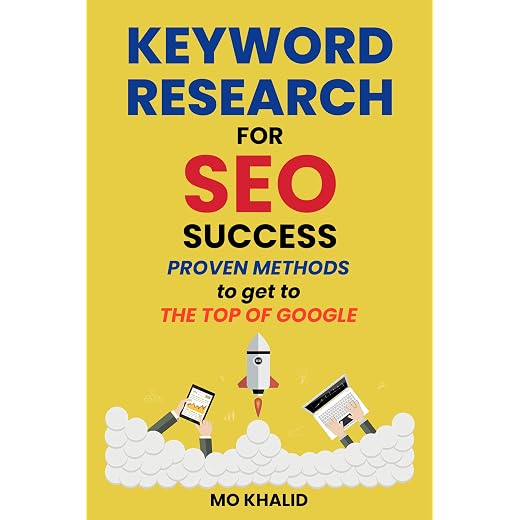

Do Practical Keyword Research Using Free Resources
Why keyword research matters
Keyword research connects your content to what people type into search engines. Think of it as translating customer language into page topics — a local bakery that targets “easy sourdough for humid climates” can outrank generic “sourdough recipe” by matching a specific need.
Step-by-step free method
- Brainstorm seed topics: list 10–20 phrases your audience might use (products, problems, questions).
- Use Google Autocomplete: type seeds and note suggestions.
- Check People also ask and Related searches at the bottom of the SERP for question-style ideas.
- Inspect top-ranking pages: read titles, headings, and meta snippets to see what angle they use. Look for gaps you can fill (examples: shorter guides, local focus, step-by-step photos).
- Expand with free tools: use Google Trends to confirm interest over time; try AnswerThePublic for question clusters. Copy promising phrases to a list.
Use free tiers of SEMrush, Moz, Ubersuggest (optional)
Prioritize by intent and competition
Build a simple spreadsheet
Create columns: keyword | search intent | difficulty estimate | target page | notes.
Example row: “sourdough starter humid climate” | informational | low | blog/how-to-humid | include troubleshooting tips.
Keep iterating: add new queries as you learn what traffic converts and which topics your audience prefers.
Optimize On-Page Content: Titles, Headings, and Useful Copy
Craft an SEO-friendly title tag and meta description
Write a clear title that includes your primary keyword naturally near the front (aim for ~50–60 characters). Meta descriptions don’t directly affect rankings but improve click-through rates—keep them around 120–155 characters and summarize the page benefit (use action language). Example:
Title: “Easy Sourdough Starter for Humid Climates — Step-by-Step”
Meta: “Learn how to make a reliable sourdough starter in humid weather with troubleshooting tips and photos.”
Structure headings to match user intent
Use a single H1 that mirrors the title/topic. Break content into H2s/H3s that answer the specific questions searchers have (how-to, troubleshooting, alternatives). This creates scannable content and signals relevance to search engines.
Write helpful, scannable copy
Use free tools and manual checks
Run free audits in Moz or Ubersuggest to spot missing title tags, duplicate meta descriptions, or pages without H1s. These tools flag problems, but always manually:
Keep content fresh and focused
For competitive topics, write longer, focused content (1,200+ words when necessary) that answers underlying questions and adds original value (photos, examples, local angles). Regularly update older posts—add new data, internal links, and improved headings—to regain rankings.
Next, we’ll look at fixing the technical SEO issues that can prevent well-optimized pages from being indexed or crawled.
Fix Technical SEO Issues with Built-In and Free Tools
Technical SEO simply means making sure search engines can find, crawl, and index your pages. If content is great but invisible, this is usually a technical problem. Below are clear, actionable steps you can do for free.
Use Google Search Console first
Open Search Console and check these reports:
Run the URL Inspection on problem pages, click “Test live URL,” then “Request indexing” after fixes. Search Console is the single most reliable place to see how Google reads your site.
Create and submit sitemap; check robots.txt and canonicals
Use free auditors and browser tools for diagnostics
Tools like SEMrush, Moz, and Ubersuggest offer free site audits that list redirects, broken links, and slow pages—great for a broad scan. For immediate checks, use:
Stepwise fixes for common problems
After major fixes, resubmit your sitemap and use URL Inspection → Request indexing for priority pages. Reindexing can take hours to weeks, but these steps get you moving in the right direction.
Improve Speed, Mobile-Friendliness, and User Experience
Measure performance with PageSpeed Insights and Lighthouse
Start with PageSpeed Insights (pagespeed.web.dev) and Lighthouse in Chrome DevTools. Run a report and focus on prioritized fixes: image compression, browser caching, and minimizing render‑blocking scripts. Pay attention to a few metrics:
PageSpeed gives a ranked list of fixes; Lighthouse explains which scripts or images cause the slowdown. Free tools like SEMrush, Moz, or Ubersuggest can add another scan for context, but PageSpeed + Lighthouse are enough for actionable next steps.
Mobile-friendliness and responsive basics
Mobile-first matters: Google indexes mobile versions first and will flag poor mobile usability in Search Console. Test pages in Search Console → Mobile Usability to see problems like viewport not set, small font sizes, or touch targets too close together. Also use real-device tests in Chrome’s device toolbar.
Practical fixes novices can implement now
Perform quick real-user testing: ask friends/colleagues to open pages on different phones, time tasks (find contact info, buy a product), and note frustrations. UX wins lower bounce rates, increase time on page, and indirectly boost rankings by signaling quality to search engines. Next, we’ll move from user experience to building authority with links and outreach.
Build Authority: Free Link-Building and Outreach Strategies
Make link-worthy content first
Links follow value. Focus on content people want to cite: data roundups, original how-to guides, checklists, templates, and case studies. A small baking blog I know got three high-quality links after publishing a tested ingredient-substitution table — it was useful and easy to reference.

Find opportunities without paid tools
Use free backlink checks in Moz or Ubersuggest to scan your domain and competitors for quick wins. You can also manually inspect competitor links with simple search operators:
Reclaim unlinked mentions
Search for your brand or product name in quotes to find mentions that lack links. Politely ask authors to add one:
Polite outreach templates
Subject: Quick request — add a link to your mention?
Hi [Name], I loved your piece on [topic]. You mentioned [our brand/product] — would you consider linking to [URL]? It gives readers a direct place to learn more. Thank you! —[Your name]
Subject: Guest post idea for [Site]
Hi [Name], I enjoy your content on [topic]. I can contribute a practical post on “[Title]” that [benefit]. Interested? I can draft an outline. Best, [Your name]
Track outreach simply
Use a spreadsheet with columns:
Avoid bad shortcuts
Say no to paid link schemes, link farms, and low-quality directories — they can hurt more than help. Prioritize relevance, slow steady growth, and relationship-building on forums, LinkedIn, niche communities, and social media.
Next, we’ll cover how to measure the impact of these links using free analytics and iterate on what works.
Measure Results and Iterate with Free Analytics
Set up the basics: Google Analytics + Search Console
Create a free Google Analytics account (GA4) and a Search Console property. Verify your site in Search Console (HTML file, tag, or DNS). In GA, enable linked Search Console data so you can see search queries alongside behavioral metrics. Track simple conversions by:

Build a lightweight spreadsheet dashboard
Export Search Console performance (Queries/Pages) and GA reports (Acquisition, Engagement, Conversions). In a sheet, create columns:
Key metrics beginners should watch
Use Search Console to find quick wins
In Search Console, filter by pages or queries with high impressions but low CTR. These often need better titles/meta descriptions or richer snippets (FAQ, structured data). Example: a recipe post with 10k impressions and 0.8% CTR jumped to 2.5% after a clearer title and cooking-time in the meta — small copy changes can move the needle.
Periodic checks and iterate every 4–8 weeks
Use free audits in SEMrush, Moz, or Ubersuggest for extra checks (site health, missing tags, limited keyword data). Keep a change log: date, page, change, hypothesis, and result. Test, measure, and iterate on a 4–8 week rhythm so you learn what truly works before scaling updates.
Now you’re ready to put results into action and close the loop on continuous improvement.
Start Small, Track Progress, and Keep Improving
Pick one or two tactics from this guide to implement this week — practical keyword research, a title or headline refresh, or fixing a tech issue. Track clicks, impressions, and behavior with free analytics and Search Console, then iterate based on data. Remember: effective SEO doesn’t require paid tools; focus on good keywords, useful content, technical health, user experience, and steady outreach. Be patient and consistent. When you need scale or deeper analysis, consider paid options like SEMrush, Moz, or Ubersuggest. Start now, measure often, and improve steadily. Your site will thank you soon.